
Wind Compass
Maple MediaWeather
4.4533.00 Reviews
- Version
- 1.11.0(97)
- Installs
- 100.00K
- Age Rating
- Everyone
Screenshots
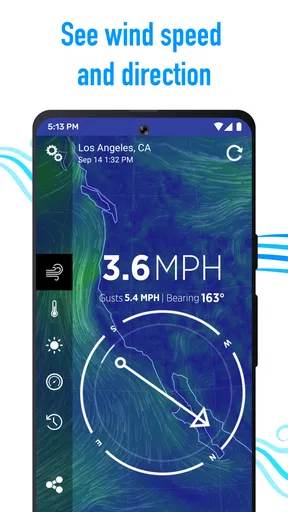
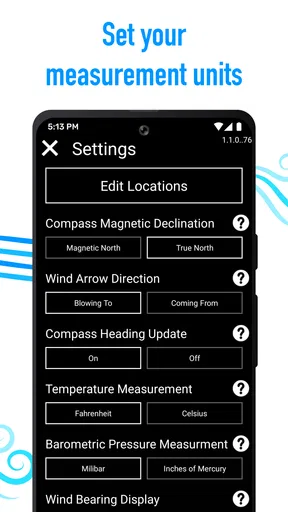
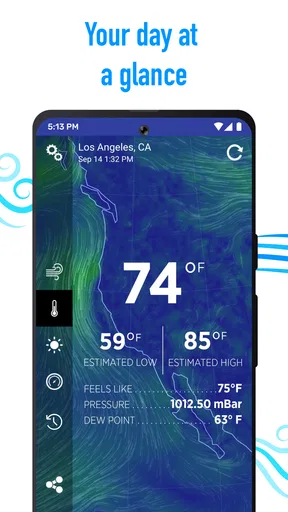
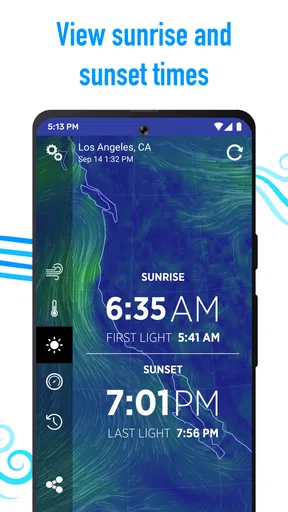
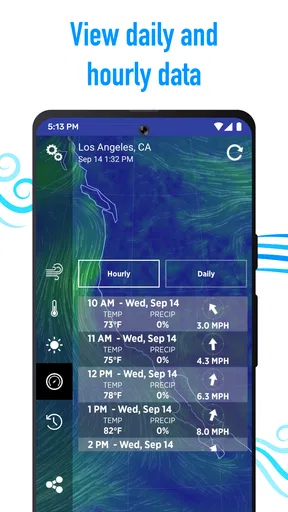
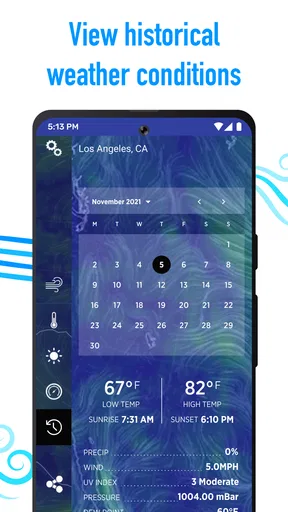
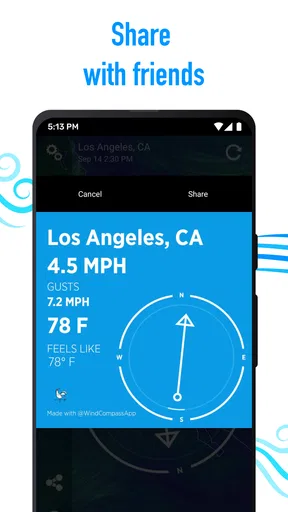
Our Review of Wind Compass
 Analysis by Appyee
The first week with Wind Compass is easiest to judge by changing how I make small outdoor decisions. Instead of checking only whether rain is expected, I can focus on the wind: which way it is coming from, how strong it is, and whether the day’s forecast makes a planned outing appealing. That narrower focus is the app’s clearest reason to try it. It gives wind its own place in a weather check rather than leaving it as one detail buried among general conditions.
That emphasis is useful when the direction matters as much as the forecast. Before a walk, ride, or time near open water, I can look at the compass and think about exposure, route, and comfort. I would still treat it as a planning aid, not a substitute for local judgement: conditions can feel different between a sheltered street and an exposed path. The practical benefit is having a prompt to consider wind before I head out, not a guarantee that every spot will match the screen.
A wind-first habit, rather than another forecast to scroll
Maple Media’s free weather app has a clear niche: it centres the wind compass and pairs it with daily forecasts. That makes it feel different from the usual general-purpose weather app, where I might open the forecast for rain and temperature and never notice the wind. If wind is the detail that changes your plans, this focus can make a quick check more useful. If you mainly want a broad outlook for the week, a conventional forecast app may be a more natural home base.
A sensible routine is to check once while deciding whether to go and again closer to leaving if the outing depends heavily on conditions. I would not keep reopening it just to watch the display; the value comes from using the information to make a choice. For a runner, that could mean choosing a route with more shelter. For someone planning a picnic, it might mean picking a spot where gusts are less disruptive. Those are modest decisions, but they are exactly where a wind-focused tool can earn a place in a daily routine.
What I would check before relying on it outdoors
A compass reading is most helpful when I connect it to the place and activity, rather than treating it as a verdict. A route with buildings, trees, hills, or open fields can feel quite different even over a short distance. I’d use the app to get a useful overall sense, then pay attention to what I actually experience outside. For a casual walk, that is usually enough. For a more exposed activity, I would combine the check with local conditions and a conservative plan.
The app is rated for Everyone, and it is free to install, with optional in-app purchases ranging from $0.99 to $99.99 per item. I’d approach those purchases as optional rather than assume they are necessary to get a useful first impression. Its current version is 1.11.0(97), and it requires Android 8.0 or later. The average rating is 4.3 from around 2.3 thousand ratings, with more than 100 thousand installs. Those figures suggest it has found an audience, but they don’t tell me whether its wind-centred approach matches your habits; that is the more important test.
Where the focused approach helps—and where it doesn’t
Wind Compass is a stronger fit for people who regularly make plans outdoors and want wind direction and speed near the top of the experience. It may also suit curious users who enjoy checking how the weather feels from one day to the next. I would be less likely to recommend it as the only weather app for someone who needs a broad set of forecast details as their main concern. A wind-first screen is a genuine advantage for some routines, but it can feel narrow if your daily question is simply whether the whole day will be wet, cold, or sunny.
It is also worth separating a useful display from specialist equipment. For everyday decisions, a phone app can help me think ahead; for activities where changing wind creates a serious safety concern, I would not make a go-or-no-go decision from one screen alone. The right choice depends on how exposed the activity is and what the consequences of a poor call would be. That boundary does not make the app less useful; it keeps its role realistic.
Will it keep earning a place after the novelty?
The novelty of a live-looking compass can wear off quickly if I open it without a reason. Its lasting value depends on whether wind is a recurring part of my choices. Someone who runs outside, cycles, spends time on a waterfront, or often plans outdoor gatherings may find a quick wind check becomes a practical habit. Someone who rarely changes plans based on wind may use it briefly and then return to a familiar general forecast.
For me, the strongest long-term case is not that it replaces every weather tool, but that it makes one often-overlooked factor easier to notice. The app was released on February 14, 2018, and its modest, specific purpose remains straightforward: help me include wind in the decision, rather than relying on temperature or rain alone. If that is a gap in your current routine, it is worth trying. If you already get the wind information you need elsewhere, there may be little reason to add another app to your home screen.
Ever found yourself standing in the middle of nowhere, clueless about which direction the wind is blowing? Well, I’ve been there, and let me tell you, it’s not fun. That’s where Wind Compass comes in. This handy app turns your smartphone into a mini weather station, and honestly, it's kind of like having a meteorologist in your pocket. Let’s dive into what makes this app tick and why it might just be the tool you didn’t know you needed.
Getting to Know Wind Compass
So, first things first, what exactly is Wind Compass? At its core, it’s an app designed to help you understand the wind direction and speed right at your location. But it’s not just about wind. This app packs in a bunch of other features too, like temperature, humidity, and even the UV index. It’s like you’re getting a full weather report wherever you are.
Features That Stand Out
One of the coolest things about Wind Compass is its user-friendly interface. You know how some apps have you jumping through hoops just to get the info you need? Not this one. Everything is laid out clearly and intuitively. The main screen gives you a compass with wind direction and speed, and it updates in real-time. No more guessing or waiting around for updates.
Another neat feature is the app’s ability to provide detailed weather forecasts. Whether you’re planning a hike, a picnic, or just deciding if you need that extra layer, Wind Compass has got you covered. And if you’re a bit of a weather nerd like me, you’ll love the graphs and charts that show trends over time.
Using Wind Compass in Everyday Life
Now, let’s talk about how this app fits into daily life. If you’re an outdoor enthusiast, this app is a game-changer. Imagine you’re out sailing, hiking, or cycling—knowing the wind conditions can make all the difference. Even for the regular Joe who’s just curious about the weather, Wind Compass makes checking conditions straightforward and even a bit fun.
One of my favorite things to do is check the wind direction before heading out for a run. It helps me decide which route to take so I’m not running into a headwind the whole way. Little things like that can really improve your day-to-day activities.
What Makes It Unique?
Okay, so there are tons of weather apps out there. What sets Wind Compass apart? For me, it’s the combination of simplicity and detail. You get a quick glance at the most important info without getting bogged down by unnecessary details. Plus, it’s super customizable. You can choose which metrics to display and even set alerts for specific conditions.
And let’s not forget the aesthetic appeal. The visuals are sleek, modern, and easy on the eyes. It’s one of those apps that just feels nice to use, if you know what I mean.
Is It Worth Downloading?
Alright, let’s wrap this up. Should you download Wind Compass? If you’re someone who spends a lot of time outdoors or just likes being in the know about weather conditions, then absolutely. It’s not just about checking if you need an umbrella anymore. It’s about understanding the environment you’re stepping into.
Even if you’re not a weather enthusiast, the app’s straightforward design and reliable data make it a handy tool for anyone. Plus, who doesn’t love a good weather app that actually does what it promises?
In conclusion, Wind Compass is more than just a tool; it’s a trusty companion for your outdoor adventures and daily decision-making. Give it a try and see how it can change the way you interact with the world around you. You might just find yourself becoming that go-to weather guru among your friends!
Verdict
Strengths of Wind Compass
- Accurate wind speed and direction updates.
- User-friendly interface with clear visuals.
- Real-time weather data integration.
- Customizable alerts for wind changes.
- Lightweight app with minimal battery usage.
Limitations of Wind Compass
- Limited offline functionality.
- In-app ads can be distracting.
- Requires location access for accuracy.
- No detailed historical data available.
- Some features require premium upgrade.
Other Releases by Maple Media
View All
Pic Stitch: Collage Maker
Photography3.4

Pulse SMS (Phone/Tablet/Web)
Communication3.6

Super Simple Shopping List
Shopping3.6

Snowboard Party World Tour Pro
Sports4.4
Similar Picks in This Category
View All
Weather - By Xiaomi
Xiaomi Inc.4.1

Weather & Radar Forecast
WetterOnline4.8

Weather
OneLouder Apps4.6

AccuWeather: Weather Radar
AccuWeather3.6

The Weather Channel - Radar
The Weather Channel4.6

1Weather Forecasts & Radar
OneLouder Apps4.3
Frequently Asked Questions
What is Wind Compass and how does it work?
Wind Compass is a user-friendly app that provides real-time information on wind speed, direction, and weather updates. Designed for outdoor enthusiasts, the app utilizes GPS technology to deliver precise data based on your location. It’s perfect for activities like sailing, kite flying, or even planning a picnic. The intuitive interface ensures you get detailed insights with ease.
Is Wind Compass available on both Android and iOS platforms?
Yes, Wind Compass is available for download on both Android and iOS devices. You can find it on Google Play Store for Android users and the Apple App Store for iOS users. The app ensures a seamless experience across different devices, with regular updates to enhance performance and features.
Does Wind Compass require an internet connection to function?
While Wind Compass can utilize offline data, an internet connection is recommended for the most accurate and up-to-date wind and weather information. With a connection, the app can provide real-time updates and integrate with location services to offer precise data tailored to your current position.
Are there any in-app purchases or subscriptions in Wind Compass?
Wind Compass offers both free and premium options. The free version provides basic features, while the premium subscription unlocks advanced functionalities such as detailed forecasts, historical data, and an ad-free experience. Subscriptions are available on a monthly or yearly basis, catering to different user preferences.
Is Wind Compass suitable for professional use, like aviation or marine navigation?
Wind Compass is primarily designed for casual and recreational users. While it offers reliable data for general outdoor activities, professionals in aviation or marine navigation should rely on specialized equipment and official sources. The app is a great supplemental tool but not a replacement for professional-grade instruments.
